Use case
Every changes in disposable vm (including changes in the root directory) will be gone in the next boot. Therefore, it is very useful when you want to test new software (potentially buggy) and don’t want to mess with your actual computer.
Creating disposable vm
Template vm
First, create a vm normally, this serves as a base of the disposable vm. Install software you want to use, and configure them to your preference. The software and the configurations will be available every time you boot up the disposable vm and are immutable from the disposable vm.
Disposable vm
Open up virt manager, right click on the template vm, then click clone. In the pop-up window, uncheck cloning storage. After this, go to the edit menu, and click preferences. Enable XML editing in the pop-up window.
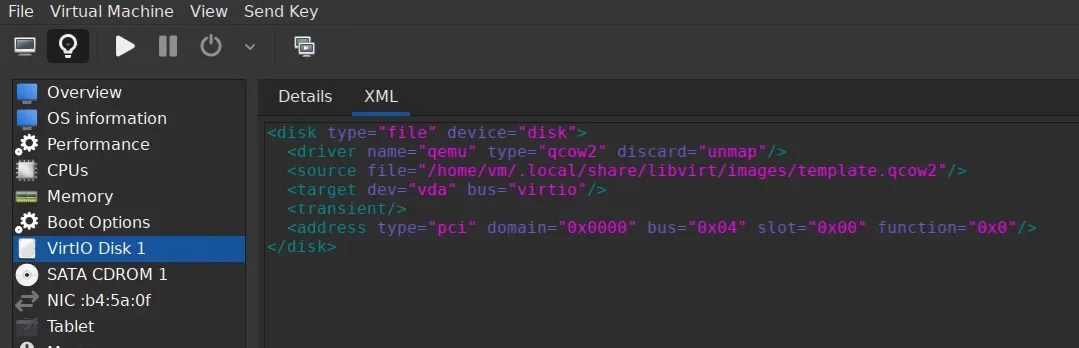
Open up the details page of the disposable vm in view menu. Under virtual disk, open XML tab, and add <transient/>. Voilà! This is it, you can now turn on the disposable vm and try all the fun stuff like sudo rm /usr/bin/rm without any consequences.
vm without internet connection
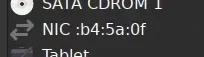
Sometimes, you may want to write some sensitive files to your computer, and you may not want the computer to connect to internet at all. This can also be easily achieved by removing the internet hardware of the vm. Now, when you turn on this vm, you literally can’t connect to internet in any way.
Updating disposable vm
Updating the disposable vm is very easy. Just update the template vm, all the changes will be available on the disposable vm. Remember to keep your footprint minimal in template vm, and do all the testings in the disposable vm.