Numeric calculation
There is simply no one single gui calculator programme that is as powerful as python. To use python as a calculator, the simplest way is to type python3 command in terminal, here is some example calculations.
>>> 32**2
1024
>>> _**(1/10)
2.0
>>> x = 1
>>> for i in range(2, 5+1):
...     x *= i
...
>>> x
120
This is already quite powerful, but it can get even better.
Symbolic calculation
You aren’t limited to numeric calculation, you can even do symbolic calculation! Enter python console with the following command.
python3 -i -c "from sympy import *"
You can then define variables and do calculations.
>>> x = Symbol('x')
>>> sin(x)**2+cos(x)**2
sin(x)**2 + cos(x)**2
>>> (sin(x)**2+cos(x)**2).simplify()
1
Scientific constants
scipy contains a lot of common constants, covering a wide range of studies. I usually import them with the following command.
import scipy.constants as c
Then call the constant using c., here is the list of available constants.
>>> c.c*(c.mu_0*c.epsilon_0)**(1/2)
1.0000000000005969
Automate
In fact, you do not need to manually type the python code to import and create variables every time, you may create import.py.
from sympy import *
from scipy import constants as c

x, y, z = symbols('x y z')
alpha, beta, gamma = symbols('\\alpha \\beta \\gamma')
Then run it with the following command.
python3 -i import.py
Or better yet, create a key binding or shell alias to call this.
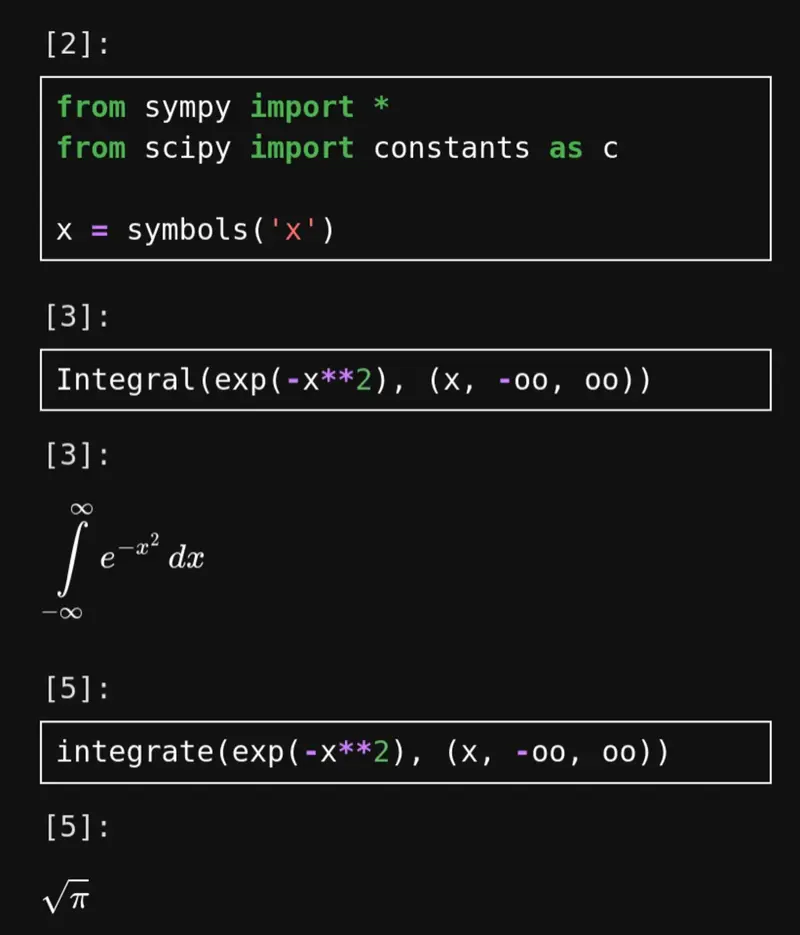
Jupyter lab
You can even view rendered LaTeX symbols if you use jupyter lab!